Introduction
WhatsApp profile pictures contain metadata that can reveal when they were uploaded. This tutorial will guide you through the process of extracting this information using our tool. By using this method on the first profile picture uploaded, you can get a good estimate of the account creation date.
Steps to Extract Upload Date
1. Find the Profile Picture URL
To get started, you'll need the phone number of the WhatsApp user:
- Visit the WhatsApp user's profile
- Copy the phone number
2. Use Our Tool
Once you have the phone number:
- Go to our dashboard
- Select "WhatsApp" from the platform dropdown
- Paste the copied URL into the search field. Make sure to include the country code (e.g +1 for USA, +44 for UK, etc.).
- Click "Search"
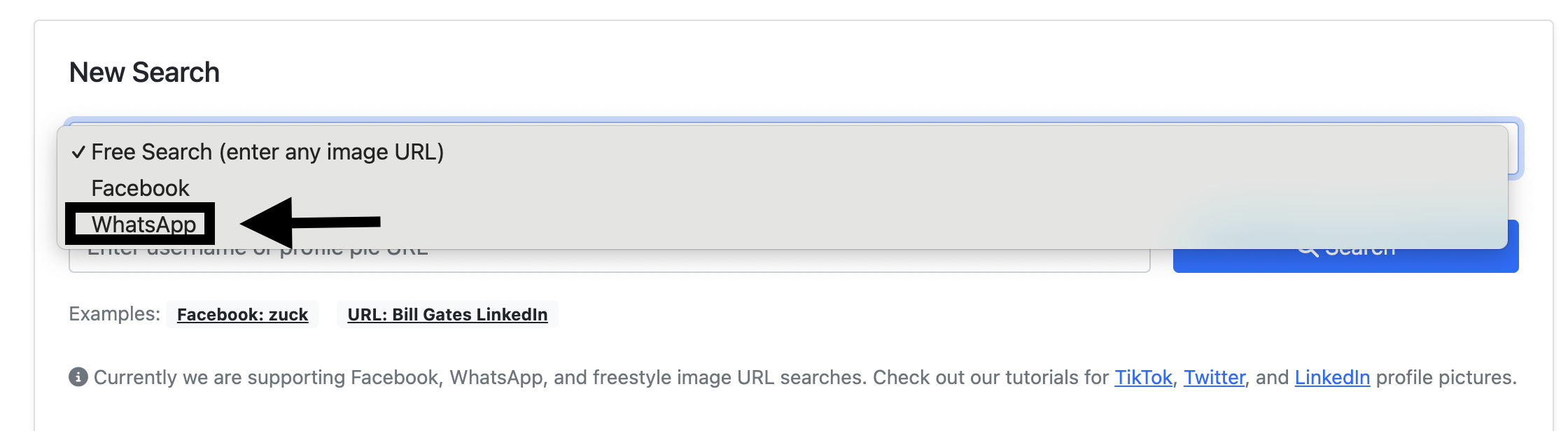
Example of how to use our tool with the phone number URL
3. Interpret Results
The results will show:
- Original upload timestamp
- Last modification date and time (if any)
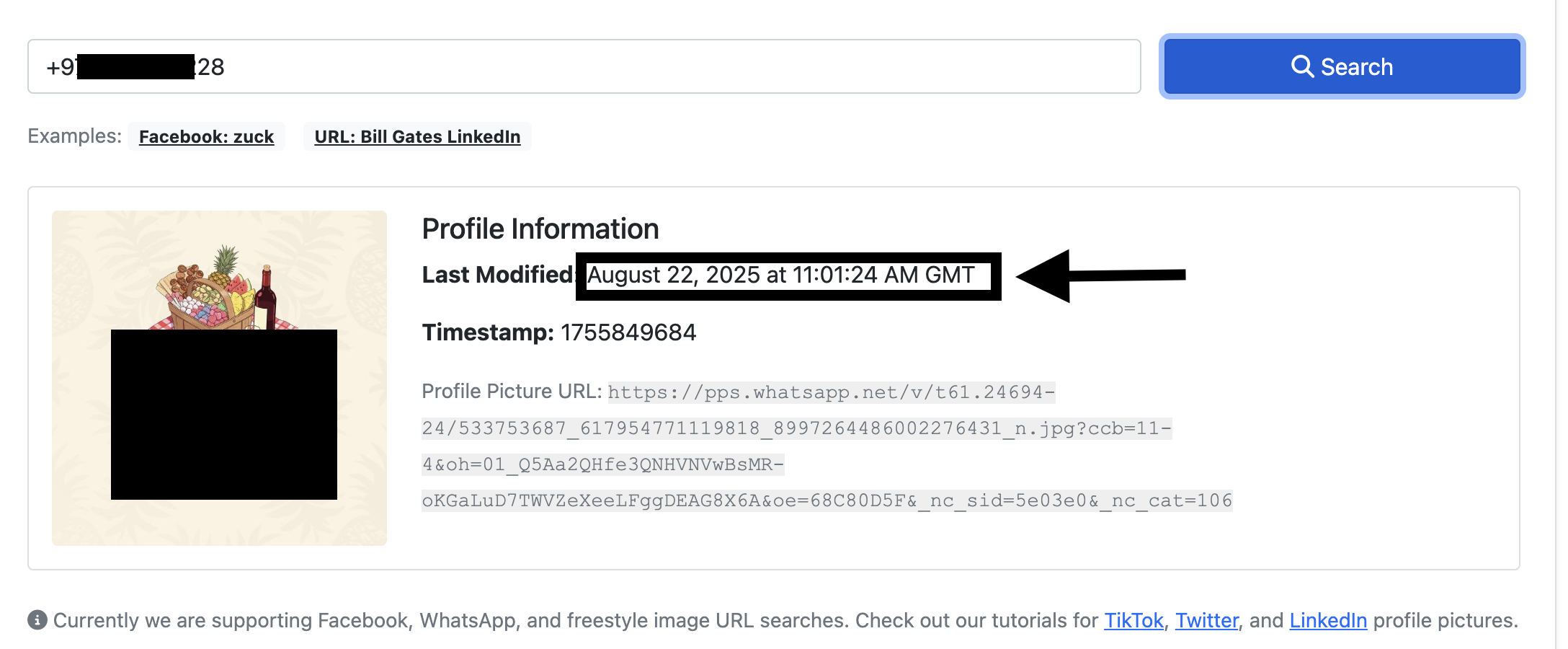
Example of the results
Pro Tips
- Make sure the phone number is correct and in the correct format (e.g +1 for USA, +44 for UK, etc.).
- Sometimes the profile picture is not available, so the tool will not be able to get the upload date.
- The profile may be private, so the tool will not be able to get the upload date.
Need Help?
If you encounter any issues or need technical support, contact us at [email protected]